Showing posts with label computer. Show all posts

05 January 2026

A New Computer and Oh, What a Mess

In my last post I discussed a bit about my search for a new computer. At the time, I was keeping an eye on the pricing moves for two computer models, the Microsoft Surface 13" laptop and the ASUS ProArt 13. Both get good reviews and feature the new SnapdragonX ARM-based CPU

Well, I got tired of waiting and watching. I took the recommendation of an on-line reviewer that I trust and I bought an HP Omnibook 14. WalMart was offering it at a good price, several hundred dollars below both the Microsoft and ASUS units. Like the Microsoft and ASUS computers, it uses the SnapdragonX CPU.

Why Snapdragon? I'm after the advertised improved battery life the CPU offers, plus I've never played around with a computer that runs that processor. Since the Snapdragon processors use the ARM architecture and not an x86 one, I knew there were likely to be some compatibility issues with certain apps, but I figured I'd give it a go. What can I say, I like living on the edge.

My intent was to create a stripped down Windows laptop for use in the field. Something running a lean version of Windows 11. Only the absolutely essential Windows services, and no local or cloud-based Copilot spyware. As much as I like the idea of a Linux computer (I'm currently experimenting with a Mint-based laptop and desktop), I still need Windows in the field for one critical ham radio app - Winlink. 

Unfortunately, it seems Microsoft has other plans for my new laptop. It shipped with Windows 11 Home edition (as most do these days). Win11 Home no longer allows the creation of local accounts - you MUST connect to the Microsoft Borg via the internet and use a Microsoft account to activate the operating system. Until you do that, the new computer you paid good money for won't work. You will be assimilated. 

I'm not being dramatic here. Microsoft openly and somewhat crassly admits that their intent is to turn the computer you paid for into little more than an AI-driven dumb terminal that is hard-wired to Microsoft's Azure-based sales, services and gaming ecosystems, and snoops on everything you do.


So my OmniBook arrives, I go through the Microsoft setup process, reboot and... Good God, the bloatware! Why the hell does an operating system keep trying to stuff useless ads and announcements in my face? It's pervasive - it's EVERYWHERE. And it's not just Microsoft. HP has loaded their own layers of bloatware onto the computer that overlaps with Windows. Bottom line - as delivered, Windows 11 isn't an operating system, it's crapware.

Within 30 minutes of firing up this new laptop for the first time, I was thinking seriously about putting Linux Mint on it. Windows 11 is that bad.

The good news is that help is available. I ranted about my frustrations on Facebook, and a good friend contacted me to let me know about a couple of apps that de-bloat windows. The one I tried is called Revision (revi.cc). Revision acts as a configuration manager. When you run it, Revision goes in and makes configuration and registry changes to Windows 11 that switch off the bloatware and spyware settings. As far as I can tell, Revision doesn't delete anything (unless you direct it to), it merely turns off those bits in Windows that allow all the bloat. Revision will also shut down Copilot and Microsoft365. This breaks the cursed hard link to OneDrive and Copilot in the cloud.

Revision accomplishes a lot, but it can't do everything. Since it only touches the Windows settings I still needed to manually delete all the HP crapware. Then there was the annoying default directory settings for things like documents and photos that kept pointing to OneDrive, even though I shut down the OneDrive application. Revision doesn't correct this, but the fix is easy - go to the local folder properties window, click the Location tab and reset the target location so it doesn't point to OneDrive (or click Restore Default).The fact that you have to do this yourself, and Microsoft doesn't make it easy to find instructions on the process, reinforces my feeling that Microsoft doesn't give a crap about the individual license holder. 


The effort, however, was well worth it. Revision did a great job of shutting down the bloatware, breaking the OneDrive and Copilot dependencies, and stripping Windows down to it's basic role as an operating system. I highly recommend it.

And yet I know that Windows, in all its bloated glory, is bubbling just beneath the floorboards, waiting for any opportunity to pop back up. Windows is always just one update away from a version that will trigger a procedure that blocks Revision and other third party Windows configuration apps. How do I know this? Well, a few days ago I did a Windows update on the laptop, and to my surprise, the Microsoft Store app was back, flooding my Start and Search menu windows with annoying ads for garbage I have zero interest in. This is an app that I deleted when I ran the Revision software. Somehow, some way, the Windows update snuck the app back in. Microsoft isn't going to give up, and they hold all the cards when it comes to Windows configuration options. I have no doubt that once the number of Windows installs that have Revision (or a similar tool) applied crosses some unstated threshold, Microsoft will decide enough is enough, and it will punish the peasants by blocking these configuration apps. Bastards.

 W8BYH out

14 December 2025

'Tiz A Week Before Christmas and All Through the House, Not a Creature is Stirring, 'Cuz I'm Clicking the Mouse

I'm sort of obliquely back in the laptop market, looking for a new laptop to use in the field with my radios. I'm a geek, and I spend a good bit of time on websites and YouTube channels that review hardware. It's a hobby. This means that I have a list of curated sites and search criteria that I turned to when I kicked off the laptop search. 

The requirements are simple - a laptop that can be used outdoors (more rugged than a standard laptop, but not necessarily 'toughbook' standard), has a daylight readable screen, a back-lit keyboard, good battery life (a real 8 hour minimum), a good selection of ports (USB-B, USB-C, HDMI), a good CPU and enough system RAM and storage to get the job done. It also needs to be reasonably priced (not cheaply priced, but reasonably priced) and run Windows 11. Sorry, Apple need not apply. Many would say my requirements fit a 'business-class' standard, and I would agree.

The problem I'm finding is that may reviewers, even the good ones, don't want to spend much time reviewing business -class laptops because they are commodity items and, even worse, are just so boring. B.O.R.I.N.G. These are the laptops bought by the hundreds or thousands by Big IT to hand out to their workforce like Moon Pies at a Southern Baptist bible camp. Generally they are good computers, but they are... BORING.

Today's laptop reviewers seem to want to focus only on gaming, AI, immersive graphics and sound, fast wi-fi protocols, gobs of CPU cores, pen compatibility and Cinebench scores. Computers with mid-range specs, or laptops the emphasize other attributes like rugged construction or screen readability in direct sunlight get passed over. I don't need (or want) bleeding edge performance (and commensurate pricing), I want...

  • an outdoor readable screen, 13" - 14"
  • great battery life
  • rugged construction
  • a good selection of ports
  • backlit keyboard

Since it's Christmas season, there are dozens and dozens (but certainly not hundreds, as YouTube would have you believe) of laptops on sale right now, but something's gone wacky with the pricing. I'll spot a really good price on an interesting laptop, and I'll bookmark it to go search for a competitor. But when I come back the pricing I saw just a few hours before (not days or weeks, but hours) has changed, and rolled back up to a higher price level. This has happened with Microsoft Surface laptops and Surface Pro tablets, and a whole range of ASUS and HP laptops on several major on-line retailers like Amazon and BestBuy. I know there are pricing algorithms working in the background to dynamically push and pull pricing based on number of search hits, available stock, competitor's offers for similar units, etc., but this is friggin' ridiculous.

Twenty-four hours ago this same laptop, on the same vendor's website, was $750

Hey computer retailers, guess what this results in? It results in me not buying ANYTHING you have on offer. You've screwed yourself. Congrats.

Next up, I think we'll talk about operating systems.

W8BYH out

12 July 2024

NUCing Around

It's time for a computer switch-out. I needed to take one computer out of service, and that had a cascading effect. I found myself in need of a new computer that is well endowed with USB-B & C ports. Normally I'd tackle this job with a laptop and a USB port extender, but this time I decided to try something new. The concept of what Intel calls the Next Unit of Computing, or NUC, has interested me for quite a while. A NUC is essentially a mini-desktop computer. How mini? Many are small enough to be mounted directly to the rear of a stand-alone monitor. Intel didn't invent the form factor. I believe Apple was there first with their Mini Mac line, but Intel established the form factor in the Windows world. The best way to describe a NUC is that it's a laptop computer, but without the screen, keyboard, trackpad or battery - a single board computer in a small rectangular box that offers lots of ports. You bring your own monitor, keyboard and mouse to the game. A NUC is roughly 5" x 5" x 1.5", small enough to disappear on a ham shack desk, which is precisely what I was looking for. 

Interior of a NUC - a board, some memory, a cooling fan, lots of ports, and that's it!

Intel introduced the NUC back in 2012 and, as invariably happens, as soon as it gained market traction the clone manufacturers piled on. Everyone from Dell to 'China, Inc' got in the game. The competition got so fierce that Intel recently announced that they are selling off their NUC line to ASUS. Newly manufactured Intel NUCs are still widely available, but their pricing reveals a large part of why Intel got chased out of the market. The Intel units, while wonderfully made with top-tier (Intel) components, are roughly twice the price of a 'China, Inc' clone that offers better specs. Corporate America and the (dot)Gov world were OK with forking over $600 for a real Intel NUC with middling specs, but the mom & pop home owners, gamers and embedded system geeks were drawn to the far more reasonably priced clones. The price wars commenced, and the competition simply overwhelmed Intel.  

I can be heartless when it comes to computers. Like I've said before in this blog, I view computers the same way I view toasters; if it stops working it gets tossed and I get something else. However, it's rare I'll buy something new. I view buying computers the same as buying cars - I'm happy to let someone else eat the depreciation. That's why my ham shack is full of computers I've bought used. This allows me to explore the far edges of computing form factors without spending a fortune. And so it was with my new NUC. I found an eBay vendor selling used units with the specs I wanted, but for a fraction of the price of a new one.

There's really nothing much to talk about regarding the specs of this little computer. It's a run-of-the-mill Intel i5 processor unit with 8 GB or RAM and 512 GB of SSD storage. When it arrived I simply plugged in a Bluetooth keyboard and mouse, hooked it up to a monitor, re-loaded Windows 11 and loaded up some ham radio applications. No gaming, no video editing. Nothing fancy. It works just as well as the laptop computer it replaced, but frees up a LOT of desk space, allowing me to stack more ham radio junk there.

I really like this small form factor, and I'm thinking about getting a second unit for the other computer in my shack. This time I may violate my long standing rule about buying new. I'm watching some NUC clones for sale on Amazon (the brand is BeeLink), and I'm waiting to see if the price comes down at all during the upcoming Prime Day sale. That would free up an old Panasonic Toughbook for field use. Computers come and computers go here in the W8BYH shack. I think there was a song about that in a Disney movie once. Something about the circle of life...

W8BYH out

14 July 2023

Biting The Apple

I live in a house divided. I'm a Windows guy. KQ4IZK is an Apple gal. I take care of all the overhead - I make sure all the shared software license fees are paid, I keep the network up and available, make sure the streaming devices are working, pay all the IT-related bills and generally keep the home computing environment running. I also keep all the Windows and Android devices running. KQ4IZK lives and breaths Apple. She'd got her MacBook(s), iPad(s), iPhone(s) and there's even an Apple Watch laying around somewhere. And she's pretty darned good with all the Apple stuff. I get almost zero tech support calls (ha, ha) from her on things MacOS or iOS. She loves her Apple ecosystem, and it works well for her. 

There was a time when I was enchanted by Apple products. I've used Apple II+'s and early Mac's, and thought they were great, and I lusted after the early iPhones. I think a large part of my attraction was related directly to Steve Jobs. Jobs was a force of nature who could sell ice to an Eskimo and spin a vision like nobody else. And let's be honest, the iPhone and iPad really were foundational concepts that changed how we communicate and consume content. In my work I've had to support several generations of iPhones and iPads. I appreciate the app-focused ease of use found on these devices; they are far more dummy proof than Windows or Android devices. But I've always found iOS-based devices to be 'too much for too little'; the cost of the devices was much too high for the level of usability they provided. They were (and still are) viewed as prestige devices; you pay a premium for the name and the logo. I have far less experience with MacOS, but found it odd that when Apple switched from Motorola to Intel CPUs, all the Mac fans rejoiced because now they could finally run Windows natively on their Mac hardware. Hmmm...

I've always been impressed by the build quality of Apple's hardware. Across the board their products seem better built, with more attention to detail on the fit and finish. But over time some cracks developed in my Apple windshield. At work, where we use a LOT of iPads going back at least four device generations, we started to notice a lot of premature device failures. Some of them were clearly hardware related (cracked screens, non-responsive buttons, etc.). Some 'just died'; they worked yesterday but not today. Some would go off to IT for an OS upgrade, and would never come back. The response from the service desk was often, "we tried to upgrade it and it bricked itself". Were these failing at a higher rate than the cheaper Android tablets we bought, like the Samsung Tabs? Probably not, but we were paying around $250 for perfectly adequate Tab 8's, and over $500 for the 2020 iPads. And some really annoying Apple product positioning issues started to crop up. We needed iPads with GPS in them for outdoor data collection, but the basic level iPads don't come with GPS. If you want GPS you have to shell out an additional $100 per unit for the data plan ready model (the ones that can take a phone plan SIM card). Yet the much cheaper Tab 8's all came with GPS. More Hmmm....

Over time I became less and less enamored with Apple's hardware. The outward fit and finish was (and still is) very good, but the physical build just seemed lacking. They may be fine for schlepping around the Stanford University campus, but for field data collection at the world's busiest airport they were just not holding up as expected - particularly considering the price. In fact, I started to compare the service life of some of the MacBooks we use at work against a generic issue Windows laptop like a Dell Inspiron. The Dell was a lot cheaper, lasted just as long, and served the average user just as well as the Mac. The build quality of an Inspiron isn't as good as a MacBook, but if I crack the screen of an Inspiron I'm not going to cry like I would if I cracked the screen of a MacBook. I began to doubt the Mac hardware was really as good as Apple and Apple fanboys claim it is, but I didn't have any hard evidence beyond my very unscientific gut feeling.

But earlier this week I stumbled on this guy's YouTube channel, and found his Mac repair videos and commentary both revealing, and a bit humorous. Louis consolidates all that he finds wrong with Apple products into one 24 minute video.


The video is five years old, but I doubt Apple has improved things. In fact, Louis has plenty of recent videos laying out similar issues with current production Apple products.

To be fair, you'll find similar design and execution issues in any other manufacturer's range of laptops, including the highly regarded Lenovo ThinkPads. The big difference with Apple is that they've become expert at deflecting the blame for lousy hardware design and early product death back at the customer. They actually make the customer feel remorse for bringing the issues up. How else can you explain why customers who've been screwed over by Apple keep coming back time and again just because it's Apple, and everyone knows Apple is that edgy, forward thinking visionary company that keeps pushing the envelope? When in fact all they deliver is nicely packaged run-of-the-mill hardware that has lots of engineered-in planned obsolescence.

If you think I'm just another Apple hater, I invite you to read some of my pervious posts about Windows hardware, particularly the Microsoft Surface line.

 W8BYH out

30 April 2023

Building The Bomb


No, not that bomb. I've set out to build what I consider the ideal field computer for Amateur Radio use. I guess in this case I shouldn't use the term 'the bomb', but instead, 'da. bomb', as in 'this computer is gonna' be da' bomb!' When the grid goes down, this bomb needs to keep on ticking.

This little project is an extension of my experience with tablet computers (discussed here), and my frustration with any ham radio manufacturer's inability or unwillingness to deliver a ruggedized full featured field radio that doesn't cost more than my camper (which, if you're curious, set me back $22,000). Any rugged field computer would need to be accompanied by an equally rugged computer to run digital modes, CAT control software, etc. While Icom or Yaesu still can't get the radio side done, at least Dell can get the computer side done.

I've come to really like the Dell Latitude line of ruggedized computers, particularly their tablets - the 7212 and 7220 line. The 7212 went out of production last year, and the 7220 is about to be replaced in Dell's lineup with the 7230, but good used examples of both tablets - the 7212 and 7220 - are available on eBay and from on-line resellers like Bob Johnson's Computer Stuff out of Delaware. (Side note - I've bought from Bob Johnson's in the past and can highly recommend them.)

Dell Latitude 7220 in all its naked glory

I was fortunate enough to have evaluated the 7212 at work, and of all the tablets I tested I found it to be the best in overall performance and design. There's nothing unique or spectacular about the guts of these Dell tablets - they are run-of-the-mill i3, i5 or i7 processor units with on-board graphics, 8 or 16 gigabytes or RAM and up to 1 TB of storage. There are dozens of tablet manufacturers that can deliver the exact same specs and performance. The big difference with the Dell units is how those specs are delivered - the design and manufacturing of the overall tablet. This is where Dell excels. From the port covers to the battery design to the folding stand and how the removable keyboard integrates, Dell just does it better. The best example is the detachable folding stand. For most rugged tablet manufacturers, a folding stand (if they even offer one) is a kludgy after-thought. Yet everyone I know who uses a tablet wants one. Dell thought about this from the start, and designed the rear of the tablet around the folding stand. It's an extremely simple yet very well executed design. 

And of course, the 7212 & 7220 are IP65 and MIL-STD 810G rated, so they can withstand some rough handling and wet weather. Take the hint, Icom & Yaesu...

A bit of sniping on eBay got me a like new condition 7220 at a great price. That was just the tablet, and I needed a detachable keyboard, folding stand (as discussed above) and a carrying handle, all Dell accessories. Once again, eBay helped a here. A few non-Dell accessories like a screen protector, USB port extender and microSD card for additional storage came from Amazon. 


The next step was to test it in the real world. That started with loading common productivity apps like Microsoft Office and LibreOffice, followed by ham radio apps. The list of ham radio apps I wanted to have available on the 7220 was extensive:
  • Fldigi
  • Ham Radio Deluxe
  • Winlink
  • Vara
  • JS8Call
  • VarAC
  • Log4OM
  • Ion2G ALE
  • RTSystems programming apps for the IC-7300, IC-705 and the ID-52 and the Yaesu FT-3DR
  • Black Cat WEFAX and SSTV apps
  • VSPE - virtual serial port emulator
  • NetLogger
  • uBlox GPS management software
  • SCSChat 
  • SDRSharp
  • VOACAP
Little of this software gets used regularly. Most of it is loaded (and regularly updated) for just-in-case situations. In the field it's mostly Winlink, VarAC, Vara, Fldigi and occasionally Log4OM. While I pay an annual subscription for Microsoft Office (the family plan), my experience is that LibreOffice does better in the fully disconnected mode. Even without internet, Microsoft Office keeps trying to 'phone home' and sync with OneDrive. It can be a PITA, and consume computer resources you might need for something else. LibreOffice is mature, stable, compatible with Microsoft Office file formats, free, and has no internet dependencies. 


This grid down setup still needs some hardware add-ons. The Dell detachable water resistant keyboard is one of the best of its genre for typing, but the trackpad leaves something to be desired. A good Bluetooth mouse is in order. The attached stylus that Dell provides (it stores in the carrying handle) is quite good, but it's a bit cramped for regular use. A larger stylus helps for pointing duties when you are not using the mouse. Like most tablets, the 7220 is 'port challenged', so you'll need a USB-C based port extender. For headphones I toss in a set of C.Crane's excellent earbuds. I also bring along my ZumSpot USB DSTAR dongle, a USB isolation dongle, a u-Blox GPS/GLONASS dongle and a small handful of  USB thumb drives for data exchange with other operators. And don't forget spare batteries for your mouse, pen and any other battery powered devices. And then you've got to schlepp all this stuff around. A good quality, rugged computer bag is an absolute necessity. 

So how does it all work in the field? Pretty darned good. Battery life is excellent. I routinely get five hours of continuous use with two batteries installed. This is with screen brightness turned up for use in full sunlight, and using the detachable keyboard (which draws power from the tablet). Replacement batteries can be hot swapped, so I can snap in a spare fully charged unit and keep running almost indefinitely. Another great feature of the 7220 is that can charge via the USB-C port. This goes a long way in helping to move as much of my field gear as possible to USB-C connectivity and charging. One high capacity 3 amp USB-C charger can keep a lot of gear running in the field - my phones, iPads, Android tablet, this Dell tablet, my Surface Pro and Go, and more. Sadly, the only equipment manufacturers that haven't caught on yet are the ham radio manufacturers. They are still stuck on micro and mini(!) USB ports. C'mon guys, get with the program. But I digress.

I've used this tablet as a daily driver computer for a few months now. Not just for ham radio use, but as a home and work computer. It's a great all-around unit and really shines when out in the field. With all the ports buttoned up I don't have to worry about dust, pollen, heavy humidity or a light rain shower, and when the sun comes out I can bump up the screen brightness and not have to worry about finding shade. If I bang it into something (which I have) I'm not worrying about screen damage. It's a high performance, worry free device. Is it as good as a dedicated business laptop? No. I'm not going to try to fool anyone - there are plenty of cheaper computers that make better home and office units. My Surface Pro 7 is a better all-around business machine. Except when I drop it. Or leave it out in the rain. Or the battery dies. Or the sun comes overhead. That's when the Dell 7220 chuckles and says "hold my beer".

W8BYH out.

09 April 2023

A View From The Bench - 09 April 2023

Happy Easter!

The way things are going, I'll be dead before I get all my ham radio projects out of the way. I'm guessing that's a that's a good thing? It means I'll be busy right up until the end.

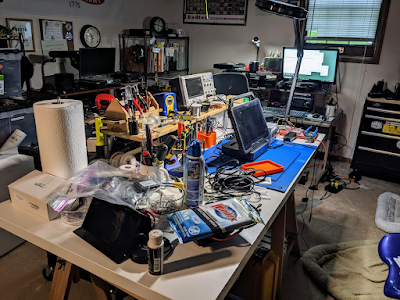
The view from the bench is... messy

I've already told my employer that I intend to retire around Christmas 2023. The retirement finances are lining up (as long as the current administration doesn't screw things up even more) and my wife and I have decided it's just the right time.  There's so much stuff we want to do while we are physically able to do it.

That includes more radio projects. The way these projects are stacking up, I'm beginning to think I should have retired a few years ago.

  • I've built a HobbyPCB HardRock50 amplifier for use with my Yaesu FT-818, KX2 and IC-705. The kit I bought from a seller on QRZ.com was new-in-the-box. It seems to work fine with the FT-818, but now I need to finish putting together the tuner. It's a project I've been putting off, and off. Time to finally get it done so I can test it with the Icom IC-705. That's a radio badly in need of a good 50 watt amplifier/tuner.
  • How about a TNC for the IC-705? I'm still trying to figure out how to get my Mobilinkd TNC3 working with the IC-705, so I can do VHF packet (and maybe APRS?) on it. Any ideas?
  • As for APRS, there's more to do be done. I'm increasingly curious about APRS and its potential use for emergency communications. Sadly, there are few good out-of-the-box solutions. The biggest issue is the difficulty of composing and managing messages. This is where the Yaesu FT-3DR (and, I suspect, the FT-5DR) fails. Spectacularly. To be fair, offerings from other manufacturers like the otherwise great Kenwood TH-72D and 74 had the same issue: lousy messaging interfaces. The best solutions I've seen so far are third party apps like APRSDroid for Android and APRS.fi for iOS, linked by Bluetooth to a TNC like a Mobilinkd TNC4
  • Speaking of Yaesu, Kenwood & Icom, things have been very quiet on the new announcement front. While not normally a bad thing, these are not normal times. Yaesu has done a good job of keeping interest going in their radio lineup with some new releases like the FT-5DR, the FT-DX10 and the FT-710, but there's been almost nothing out of Icom, and Kenwood has been silent on new releases since before the pandemic. With the announced demise of the IC-7100, Icom has a huge hole in their HF/VHF offerings. Specifically, Icom has no high power HF DSTAR offering, a significant market gap for a company that has hitched it's ham radio star to DSTAR (pun intended). All eyes are on Hamvention!
  • Web map development. The ARES Southeastern US Situational Awareness Map is slated to receive a major clean-up, where I'll be pulling selected data layers from the map to improve performance. Many of the more esoteric layers that get little, if any, use will be dropped in an attempt to improve map load and refresh times
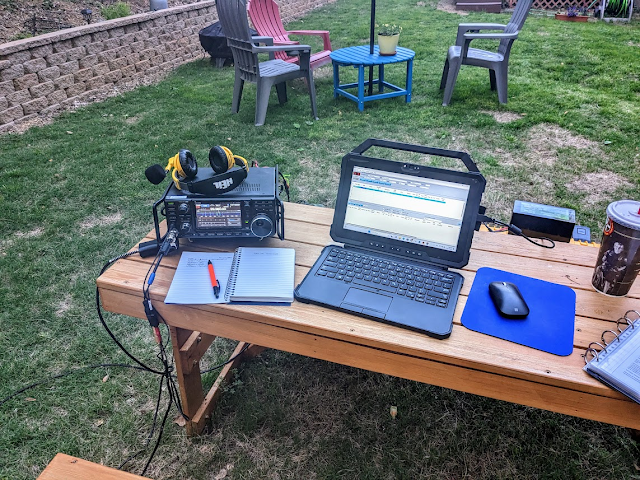
  • I've about finished my hunt for the perfect laptop for use during outdoor activations, and I've got an upcoming post on the topic. After spending over a year testing and evaluating I've found my ideal. And it's not just good - as Tony the Tiger says, "It's great!"
  • I'm getting back to an earlier interest in HF-based off-grid emergency communications. I covered the topic in some depth a few years back, but the new player on the scene - VarAC (Vara Chat) - looks like it's lapped the previous HF chat application leader, JS8CALL. Back in October I did a short post on it, but since then the pace of development on VarAC has been almost frantic, as the author and his supporting developers rush to incorporate new features. As a result the application interface has gotten a bit messy. My feeling is that the developers now need to take a pause and work on the interface and do an overall look and feel improvement
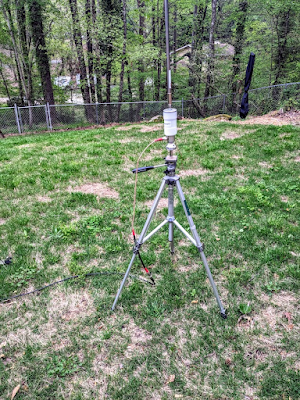
  • And last, sometimes the simplest works just fine. Yesterday I had a limited window of opportunity to 'play radio' in my back yard before a cold front with rain pushed through. I wanted to do some Winlink and if possible a few VarAC sessions, but I got caught up in some antenna issues. After fumbling with various configurations I just said 'screw it' and stuck a 17' Chameleon collapsible whip on a tripod with one counterpoise. I was surprised to find that combination worked just great on 10 - 40 meters (using a tuner, of course). I was hitting Winlink RMS nodes up to 400 miles away on 10 watts. I'll take that!
Chameleon 'mini' base with a 17' collapsible whip
and one counterpoise

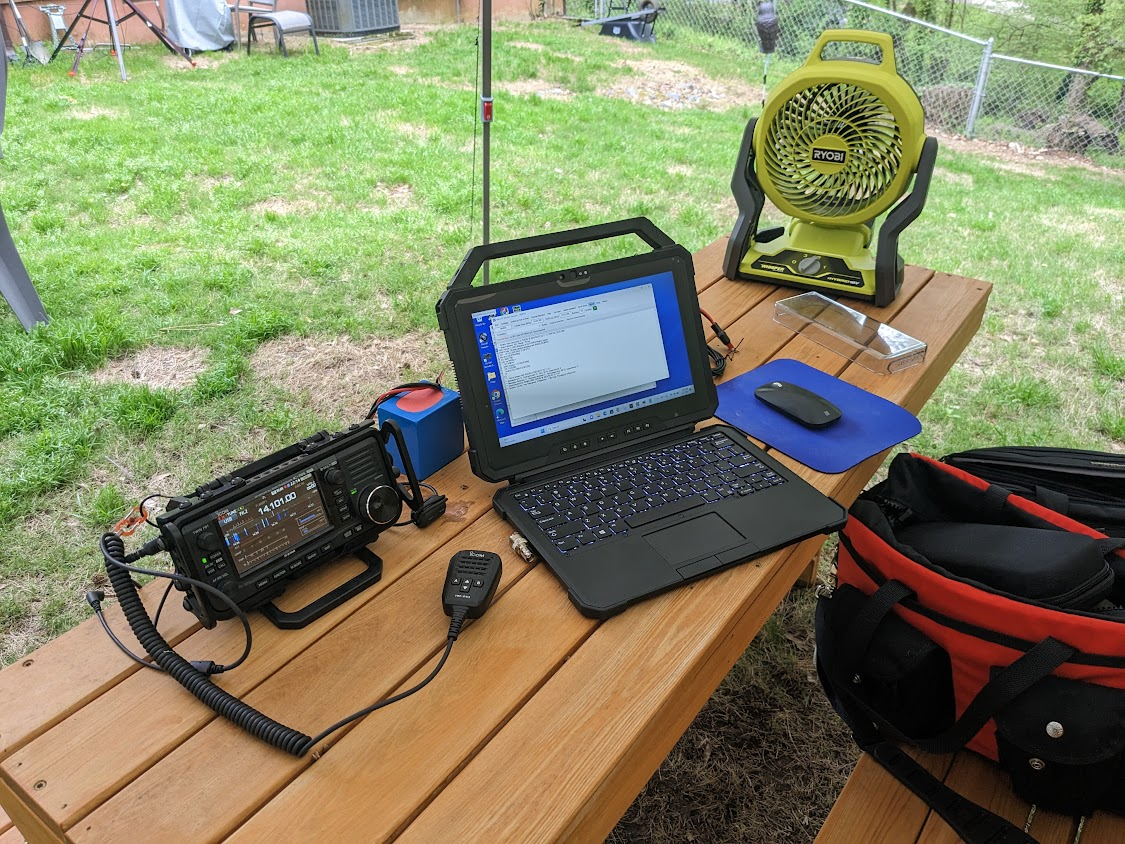
The battery powered Ryobi fan does a great job of
keeping the little biting buggers away and the
operator cool. Runs almost all day on a
4 ah battery

Have a great day! W8BYH out.

12 January 2023

Battery Angst

 Aaaarrrgggghhh! The battery on my Surface Pro 7 is giving up the ghost. Yesterday during a conference the screen started to flicker slightly and I noticed the battery level was dropping at a rate faster than I'd seen before. I knew it was inevitable, and I've been seeing indications of declining battery capacity for a few months now.


This is a work tablet, so I didn't pay for it. It's served as my office laptop for several years and I've come to really appreciate the Surface tablet form factor. I retire in less than a year, so I'm likely stuck with finding a replacement on my own (nothing provided by employer largesse). I've got several personal laptops that can fill the gap, but what I really like about the Surface line is the ability to outboard video to a dual monitor setup using the Surface docking station. My question now is, do I invest in a closed hardware solution? Surface Pros can not be opened up for a battery replacement. Microsoft wants you to toss it and buy a new one. Planned obsolescence. I'm thinking that any new laptops or tablets I buy for field use in Amateur Radio will have replaceable batteries.

I've got a very good Dell 5414 rugged laptop that I bought used about 4 years ago. It's my ham radio field laptop. It's got an i5 processor, 16 gb of RAM and a 128 gb SSD. It's a workhorse, and even four years on is still a very viable computer. It's only real drawback is that it'll eat a battery in about a year. But that's OK, because the design of this laptop means I can open the battery bay door and slide in a new battery. No dying battery angst. 


My experience is that the ability to easily replace batteries extends the service life of a laptop or tablet for at least a year. After three years most mobile device batteries start to show a serious decline in capacity; it's just the nature of the technology. Users find themselves plugging in their laptop or tablet more frequently to 'top it off', and very quickly the device turns into a small format desktop computer, permanently tethered to a power supply. A replaceable battery restores the functionality of the device - it gives your laptop or tablet a new lease on life. The vast majority of laptops and tablets, particularly laptops, are still very viable computing devices when they get tossed into the electronics recycling bin. The only reason they are there is because the batteries died.

Replaceable batteries also makes the concept of the fully off-grid computer possible. My expectation for a field computer is that I get at least 6 hours of laptop use with a 10% reserve. If that means I've got to swap out batteries in that 6 hour period, so be it. The design of laptops like the Dell 5412 (and its successors) means this 6 hour requirement is easy to achieve, and even exceed.

Of course all computers and tablets have limited lifespans. At some point my Dell will be orphaned by Microsoft (I already know I can't install Windows 11 on it), replacement batteries will become impossible to find, or I'll have a hardware failure. But considering that this is a 4 year old laptop that still has more than adequate processing power for today's routine tasks, and that I've been able to do two battery replacements on it for a small fraction of the cost of a new laptop, I'd say my plan to buy future devices only if they take replaceable batteries is a sound one.

W8BYH out

15 October 2022

End Of An Era

Yesterday morning my Dell XPS desktop computer died. While preparing for an on-line meeting I got an incredibly rare Windows 10 BSOD*. After several tries I realized that I couldn't get to the recovery partition, so I knew the hard drive had given up the ghost. I might have a recovery USB drive laying around here somewhere, but the image is old and, frankly, I didn't think it's worth the effort to keep trying. I guess I can't blame the computer. It ran virtually non-stop, 24/7, for almost five years. I got my money's worth out of it.

Once I realized I'd never boot this box from the hard drive I shrugged, pulled it off the desk and plopped my Surface Pro down in its place. Life goes on. But then I finally understood that the end of an era had arrived. For the first time since 1985 there was no desktop computer or tower sitting on my desk, and likely won't be in the future. 

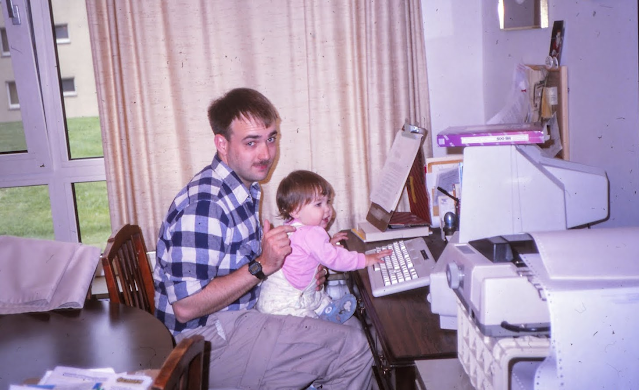
My daughter and I playing on my Tandy 1000, around 1986

I grew to adulthood with computers. Born a year before Sputnik, I grew up in an era where American technical prowess was unmatched, and computers were at the center of everything. My friends and I were fascinated by science and engineering. In our world guys with slide rules weren't geeks, they were cool. Computers filled rooms (really, they did) and dispensed digital wisdom codified in stacks of fanfold paper and blinking lights. To be allowed to just approach a computer terminal was the equivalent of approaching the high altar in a cathedral. "Come forward my son, but only with fear and awe in your heart."

I didn't get access to a computer for serious work until my sophomore year in college, spending hours on the university's time share system running epidemiological 'what-if' analysis of some unknown mosquito-borne disease. The goal was to kill off the vectors before the vectors killed off the hosts, and it was a surprisingly grim simulation of how fast mosquitoes can spread disease. Suffice to say, the poor residents of the mythical town in South America didn't fare too well when I was at the keyboard.

I graduated in 1979 and was soon in the Army and training to be an Engineer officer. At Fort Belvoir we were introduced to the Engineer School's IBM time-share system, learning to run some rudimentary engineering analysis and project scheduling software, and also dabbling in a bit of Basic programming. This was at the dawn of the PC era; Apple had released the Apple II just two years before, and the first IBM PC would hit the market in 1981. Of course both machines were way beyond the means of any newly minted second lieutenant. An Apple II sold in 1977 for the equivalent of over $6,300 in today's dollars. Most of us made do with lesser forms of computing - the Timex/Sinclair 1000, various Atari, Commodore and Radio Shack models, etc. These were all technically computers, but in reality were little more than souped-up game machines pointed at the home market. 

When the first IBM PC hit the market, it hit with a bang. Here was IBM 'big iron' in tabletop format. Ignore the fact that the CPU was a wheezy Intel 8088, the graphics were a joke, many home game consoles came with more RAM, and the operating system, PC-DOS, had been hastily cobbled together by a couple of kids working out of a Seattle area office. None of that really mattered. What led to the PC's market dominance was its open system architecture. Anyone could develop add-on hardware and write software to expand and improve the PC's performance. The only thing IBM kept proprietary was the system BIOS. The PC add-on market took off like a rocket. Plus, although PCs were expensive, they were seen as a safe bet in the corporate world. After all, they were IBMs, and nobody ever got fired for buying IBM.

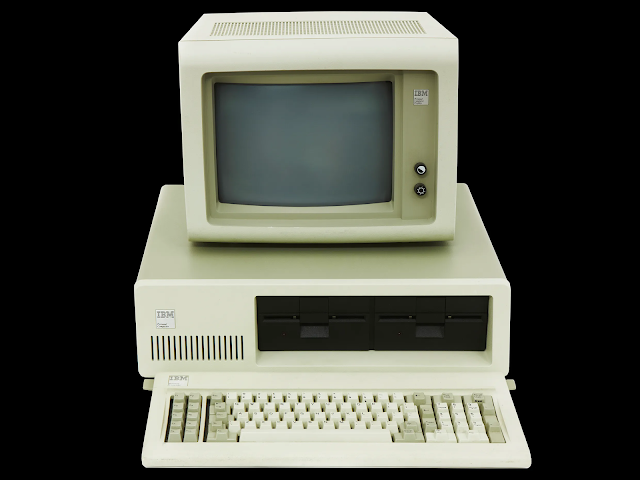
Today the IBM-PC layout looks ho-hum, but in the early 1980s it was groundbreaking
and set the standard for most personal computers that followed 

The IBM-PC was such a hit that the inevitable quickly followed. Competing manufacturers figured out how to reverse engineer the BIOS - reproducing instruction sets that did the same thing the IBM BIOS did, but doing it differently to avoid IBM's patents. Compaq was the first competitor to get this figured out. Less than a year after the PC appeared you could buy PC clones that ran non-IBM versions of PC-DOS, something called MS-DOS, developed and sold by the same kids in Seattle who had renamed their company to Microsoft.

By 1985 I was using IBM-PCs in my work, and I badly wanted my own PC to use at home. But even the clones were pricey. While there may not have been honor among hardware and software pirates, everyone understood the market value of what they were making (or stealing). Even the early clones like the Compaq PCs were beyond my reach. Then, in early 1984, I picked up a computer magazine and spotted something interesting - Tandy (the company that owned Radio Shack) had announced a low cost PC clone called the Tandy 1000. Over the course of the next few months I eagerly followed its progress, reading the reviews, catching the articles in all the magazines. The Tandy 1000 was considered a home computer, but it was a true IBM-PC clone that ran MS-DOS. With few exceptions it could run almost every software application written for the IBM. More important, it was affordable. We were living in Germany at the time, so one afternoon I called an independent Radio Shack outlet in Maine that advertised in the back of Byte magazine and asked if they would ship to Germany. They said 'sure!' and a few weeks later I had my first desktop PC clone. 

Since the day that Tandy 1000 arrived, over 37 years ago, there's been a PC 'box' of some make or model on my home desk, wherever that desk happened to be.

But yesterday marked the end of that era. When I plopped my Surface Pro tablet down in place of my Dell desktop I realized I'd never be going back. 

What I couldn't realize when I bought the Dell five years ago was that I didn't really need another heavy iron desktop PC. My computing habits and needs were rapidly changing and a good laptop would have filled the role just fine. I just couldn't see it at the time. But around 2020 I finally understood this and started contemplating my options. I kept the Dell desktop because it was paid for and working fine, but I was also starting to think about what I would do when it gave up the ghost. That time has come. 

So farewell to the heavy iron PC, and all hail the mobile hybrid computing platform. 

And hey, look at all this new free desk space!

W8BYH out

*Blue Screen Of Death - that infamous Microsoft crash screen that early Windows users loved to hate

06 April 2022

Modular Computers - Everything Old Is New Again

I come from an age when opening up and upgrading or maintaining your computer wasn't just a fun hobby, it was a necessity. Almost a survival skill for anyone in a tech related field. I clearly remember the day our Army unit received its first shipment of Heath/Zenith PC clones (very good PCs, by the way). The first thing we did was pull out the screwdrivers to have a look inside and pass judgement on the system capabilities. By the end of the day we were sticking third party VGA boards, modems, storage expansion cards and more into the expansion slots to test out compatibility and expandability. That was the norm. Even early generation laptops were designed and built to be tinkered with - adding RAM, swapping out batteries, etc. It was possible to keep a computer running and relevant well past its expected service life by doing simple component upgrades. 

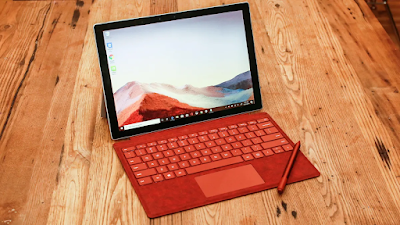
Then came the era of the fully sealed laptop. I think I blame Apple for this. Starting in the 2010s the laptop market swiftly moved to what were little more than hermetically sealed disposable pieces of plastic (or for a bit more cash, hermetically sealed disposable pieces of aluminum). While you could usually open up these devices (with no small amount of fear-inducing prying) they were not really designed to be serviced or upgraded by the owner. Then manufacturers like Microsoft took it whole other level and began producing high end devices that couldn't be opened for repair or upgrade by any means, EVEN BY MICROSOFT. The classic examples of this are the Surface Pro tablets, high end devices with notoriously bad batteries.

SurfacePro 7. Great device, expensive, and unrepairable

Customers were paying MacBook Pro-level prices for SurfacePros and having the batteries crap out in about a year ('crap out' as in not being able to hold enough of a charge to power the tablet for more than an hour or two). If you had bought Microsoft's extended warranty you were ok - send it off to Redlands and Microsoft would ship you a new one. If you hadn't bought the extended warranty you were out of luck. Not even Microsoft could repair it. Their only advice was to buy a new model which, like the old model, was not repairable. This problem persisted right up through the SurfacePro 7, and may plague later models. Now, I pick on SurfacePros because I use them as my 'daily drivers'; my work laptop is a SurfacePro 7 and in my office I've supported the entire line of SurfacePros from the 3 through the 7 series, and a smaller smattering of SurfaceGo tablets. I actually like the SurfacePros, I really do. They are outstanding devices that bring a true laptop experience to a tablet format. But I'd never pay for one out of my own pocket. Why would I sink that kind of money into a device that can't be repaired or upgraded?

Which is why this video caught my attention:

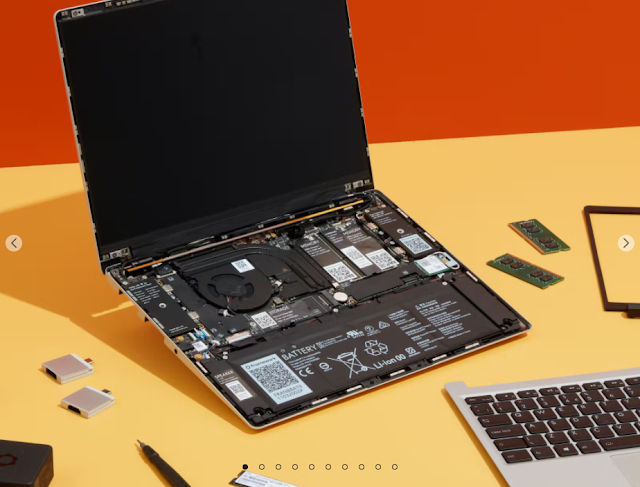
I remember hearing about the Framework laptop initiative over a year ago, when there was a lot of discussion swirling around tech forums on the web about the relative unrepairability of most consumer laptops. At the time Framework was just a concept looking for crowd source funding, but now it looks like the whole thing has become a reality.


Watching the video I have to say that I love both the design and the execution. It's unlikely that Framework's laptops will win any awards in the gaming community, but for every day business-class computing, it's a winner. The design tackles a number of issues I've faced when managing hardware in an enterprise environment. Think of this fairly common situation. Both John and Sally need laptops. Sally needs one that has an HDMI port and USB C. John doesn't need HDMI or USB C, but does need a laptop with an SD card reader, two USB A ports and 1 TB of storage. Company IT will only provide laptops that have one USB C port and an SD card reader, and 500 GB of storage. Neither John or Sally are happy. With the Framework concept, IT can provide the bare-bones laptop and a stack of add-on modules that allow both John and Sally to configure their computers to meet their specific needs. And if something does break or wear out, like the battery goes dead or the keyboard goes bad, local IT can handle the fairly simple repairs in-house, without having to farm out the work or deal with warranty swaps of whole units. Turn-around time for repairs can be measured in hours, not days or weeks.

Modularity is one of the main reasons I'm fascinated by things like Panasonic Toughbooks and their Dell equivalents. These laptops are not just rugged, they are modular in design and are fairly easy to open up and modify. The Framework laptops certainly are not as rugged as a Toughbook, but as the video shows, they are well built. Even better, their modularity handily beats what we get with a Toughbook. Plus the Framework price is a whole lot less than a new Toughbook. Thousands less.

Ham radio guys and gals are a tinkering bunch. Its the nature of the hobby. Who else would order a bag of circuit boards and thru-hole components and spend a couple of days soldering up a gizmo, and call it fun? I know ham radio operators that have multiple 20 year old computers running in their shacks for no other reason than, if something goes wrong with one of them, they can tear it apart and fix it. What hams don't like is something that, by design, can't be repaired. That violates the ham radio secret codex that says "it must be able to be pulled apart and reassembled and still work"

While the cheapest Framework laptop may be too pricey for many hams, it could actually be a cheaper alternative if the cost is extended across its useful life. Issues that cripple a hermetically sealed laptop - a bad battery, a USB port that stops working, dead keys on a keyboard, etc. - are simple and easy component swaps. Of course this all assumes that Framework remains a viable business all the way through the useable lifespan of the laptop, and that's the great unknown at this point. What happens if  you buy a Framework laptop today, and the company disappears next year? This is why I'd love for a major player in the laptop world, like Dell or HP, to take this same approach to modularity and reparability. But I realize there's no chance either company would adopt a Framework philosophy; it's just not in their corporate DNA. Their business model is to sell in volume to repeat customers who need new laptops every few years. Selling them a competitively priced modular laptop that has a useful life beyond five years AND is cheap and easy to repair or upgrade isn't going to happen. Which is why I think Framework actually has a chance of surviving, and even thriving, in this niche market. There are plenty of laptop users like me who are tired of having to deal with unrepairable systems and want the ability to easily fix vs. replace. I may not be able to break my employer's addiction to Dell products, but in my personal life I can make that choice.

There may be a Framework in my future...

W8BYH out

28 March 2021

The Computer Museum of America

I'm a computer guy. I've been fascinated by them since I was a little kid back in the 60's (that's the 1960's, for you Millenials who are math challenged). It only makes sense. I grew up in the glorious era of American achievements in science and engineering. We were racing to the Moon. The astronauts and the engineers building the systems that sent the astronauts into space were our heroes. And computers were everywhere. We kids were made to understand that American prowess in raw computing power, along with American drive and excellence in aerospace engineering, were what was pushing us forward in the race to beat the damned Russkies - at anything. 

But in the 1960s a computer would quite literally fill a room. Or two. Computers were fascinating in concept, but unachievable in reality unless you attended a well-heeled school that provided access to a computer (usually via a time sharing system), or were one of the lucky few who's parents or relatives worked in a job that provided access to a computer. My first direct access to a computer didn't come until the mid-1970s when, in college, I had to run some insect-borne disease infection models on the university's IBM mainframe system. You'd go to the computer room window and tell the geeks what simulation you needed to run. They assigned you to a terminal while they pulled the card deck, ran it through the card reader, gave the computer time to compile the program and then sent you a notice through the terminal that the program was ready to run. These terminals were nothing more than a teletype-like keyboard and printer - no CRT interfaces for us low-life undergrads. You knew the program had successfully compiled and was ready to run when the teletype gave you two dings and chugged out a 'READY' line of text on the fanfold paper. But it was glorious! The entire resources of that behemoth behind the window were at your disposal. You could change variables on the fly, run looped simulations to test exponential increases or decreases in vector transmissions, and watched as your test populations of disease victims either survived or died based on various insect control measures. The experience sticks with me today, not because I couldn't kill enough mosquitos and repeatedly wiped out over half the population of some notional West African country, but because those sessions gave me direct access to a computer program that allowed me to control the multiple related variables and provide real-time feedback. I was hooked! 

Unknown to me at the time, there were forces at work in places like Silicon Valley that would upend the computing paradigm and create the concept of the 'personal' computer. When I became aware of this sometime in the late 1970s I became fascinated with the concept but could only participate on the margins - most of these 'personal' computers like the early Apples or CP/M systems cost almost as much as a new car. My first computer was the $99 dollar (that's 1981 dollars) Timex/Sinclair 1000. Oh, and the additional 16k memory module was an additional $99. That's almost $600 in today's inflation adjusted money. But hey, it was real computer! A somewhat crippled computer, yes, but at least it had a real CPU, a video driver, could load and save data and programs on a tape drive, and had built-in BASIC.

Although I was not a computer science major, my professional career with the US Army Corps of Engineers kept me in close contact with computer developments. We transitioned through a wide variety of computers and operating systems as our software applications matured. The list of systems I worked with reads like a pantheon of personal computer and workstation development - Commodore 64 & Amiga, Apple IIe & MacIntosh, DEC VAX (various models), SGI Indigo, HP/UX (various hardware platforms), Wang, Sun Microsystems, GRID and of course the various iterations of IBM PCs and clones - Kay, Compaq, Gateway, Dell, Heath/Zenith, HP, you name it. I have lived the arc of personal computer development, and it's been a fascinating journey.

A year or two ago I became aware of a museum here in the Atlanta area titled the 'Computer Museum of America'. It appears the museum is an extension of the collection of Lonnie Mimms, a commercial real estate developer and avid life-long computer collector. I suspect much of what's in the museum came straight out of Lonnie's garage. So yesterday the XYL and I took a few hours to drive up to Roswell, GA to visit the museum. Suffice to say, I had a great time and was delighted to visit with some 'old friends'.

Long considered the world's first true 'personal' computer, the Altair 8800 was just a box with
blinking lights, but those blinking lights were connected to a real computer
(based on the Intel 8080 CPU chip) and the computer was a huge hit.
Bill Gates and Paul Allen wrote a BASIC programming language for the Altair, the project
which launched Microsoft


The board of myth and legend, and the start of an empire.
An original Apple I board, laid out and likely hand assembled by
Steve Wozniak ('The Great and Powerful Woz', according to Sheldon Cooper). 
These boards were never assembled into complete computers by Apple. The idea
was that the buyer would supply their own case, keyboard and monitor.
Woz was perfectly happy selling the boards this way, but Steve Jobs saw the
commercial potential and pushed the development of what would become
the Apple II. The rest is history. 
There is a direct but tortured line that leads from this board to your iPhone


The Timex Sinclair 1000 - my first computer


A Radio Shack TRS-80 Portable Computer. The first successful portable computer, and one
that was so successful that good used examples are highly sought after today. Built for
Radio Shack by Kyocera. It's still one of my 'Holy Grail' computers


Ah Osborne 1 'portable' computer. This was the first full featured computer specifically
designed to be transported from place-to-place. At 12 lbs it wasn't so much portable as 'luggable'.
It had a tiny 5" screen and two (two!) full-height single sided floppy drives, but came with so much
quality software like Wordstar and SuperCalc that the joke was the buyer was paying for the
software and Osborne threw in the computer for free.
Many say that the Osborne is your laptop's great-grandfather, although I would disagree. My opinion
is that the Radio Shack TRS-80 Portable Computer (seen above) really proofed out the concept of
the 'always ready' battery powered lightweight portable computer


Who remembers Byte magazine?
It was THE premier micro-computer periodical and was extremely influential in the industry.
If Byte gave your hardware or software a good review, you were a success in the industry.
I particularly loved Jerry Pournelle's monthly 'Chaos Manor' columns. Jerry was a noted sci-fi
author who also loved to write about computers.


For every one griping about how hard it is to download and install applications, let me introduce how 
cavemen used to do it. There is not a single computer in this lineup - these are all just
input and output devices that connect to an IBM mainframe computer. It's a line of card punch units,
card readers, card sorters, paper tape readers and line printers.
You could expect to see every one of these behemoths in every computer center before the arrival of tape drives


One of the neat displays is a timeline of information technology development in relation to
other world events and technology developments. One of the interesting things my XYL
noted is the comparison of computing technology with the development of children's toys.
Once the toy manufacturers figured out that computer chips don't HAVE to
be used in computers, and can be re-proposed into electronic toys, the race was on!


And speaking of XYLs, here she is pointing out one of
my heroes in computing history, Rear Admiral Grace Hopper


Anyone need a Cray? The museum has lots of them. In fact, the
museum director told me that they think they have the world's largest collection.
This shot of a Cray1 shows the hand wiring that was used in early units.
Cray hired experienced loom operators from the textile industry to
do this work


Lots and lots of Sun, Cray and Silicon Graphics floor models (ha, ha). I call this 'geek alley'


The museum offers a small, but well done, exhibit on the WWII Enigma
code machine used by the Germans, and ultimately 'cracked' by British and 
American code breakers. By the end of the war the Allies were often reading
Enigma coded traffic before the intended recipients got it


Let me wrap this up by saying that while the museum was a fun experience, there's a lot of room for improvement. Too many of the displays are not well lit. Most of the large floor mounted systems like the Crays and Silicon Graphics units are presented as just dark, shadowy lumps of computer. The designers of these systems were proud of their work and put a lot into the industrial design (particularly the Crays). Hey Computer Museum of America, light 'em up! Next, there's a clear dearth of later, but significant, desktop units like the Sun SPARC workstations and the SGI Indigo series, and some of the HP/UX desktop systems. A display and discussion about the various operating systems would also help a lot with context. The museum also seems to want to go in a few directions with special exhibits, like computers in movies (think 'War Games'), but all we see are a few posters, and some covered displays.

And last, there's a lot of floor space devoted to the US space program up to Apollo. Unfortunately what's on display just doesn't seem to fit the overall theme of the museum. It's as though someone offered them up some space program stuff and the museum said, "Sure, we'll take that!" without any thought about how or where it fits into the overall theme. I'd recommend they just scrap the whole exhibit.

On our way out we had a nice discussion with the museum's director of operations (who was also manning the cash register). She hinted that COVID has really taken some wind out of their sails in terms of visitors and revenue. I don't doubt that. We were two of just four visitors on a Saturday afternoon. Here's hoping that post COVID the museum is able to get back on path and expand and enrich their exhibits.

So, do I recommend you visit the museum? If you live in or are visiting the Atlanta area, sure! Especially if you are a computer geek. There's more than enough on display to help scratch that geek itch.

W8BYH out

01 November 2020

The Football

 "Drop kick me Jesus through the goal post of life"

Today's post is inspired not by football the game, but by football the metaphor. The 'nuclear football' is the metaphor for the rugged computer that is always within a few dozen feet of the President. You know, the laptop that holds the nuclear launch codes that will trigger mutually assured destruction. 

No, this is not the real nuclear football. In fact, nobody really knows what it looks like on the inside.
But hey, it's a cool concept!

The nuclear football is really a large briefcase that holds the computer, some communications equipment and documents. And maybe a bag lunch for the guy who got stuck with football duty for the day. They used to be aluminum Halliburton cases with a leather outer cover, but who knows what they use today.

The US nuclear football is really a large briefcase that contains (we imagine) a computer,
some communications equipment, documents and 
maybe even a secret decoder ring!

In EMCOMM we spend a lot of time talking about the radios we plan on bringing to the next disaster. Occasionally we'll talk about antennas and power. We almost never talk about computers. But if you are serious about emergency communications, I make the argument that you need an EMCOMM version of 'the football' - a rugged portable computer, documents and supporting hardware that holds all the necessary software and files you need to get the job done.

I've been thinking about and prototyping this concept for a few months now, and I'm pretty close to my vision of an EMCOMM football. Let me start the discussion with hardware. In my day job I manage a fleet of mobile computers - laptops and tablets. I've been in this business on and off for decades, and I've developed a very mercenary view of computer hardware. To me computers are like toasters - I develop no sentimental attachments (although I do have favorites), and when one doesn't meet the need or stops working I just toss it and get another. In my discussions with others on the topic of EMCOMM dedicated computers there seems to be two schools of thought. The first is buy cheap and toss when it breaks (which would be often). The second is to buy high end and make it last. For EMCOMM use I fall into the buy high category. The EMCOMM computer needs to be as failsafe as possible. The worst time for a computer failure is when trying to send 'safe and well' messages via Winlink during a huricane. Wal-Mart will be closed (or looted), so you can't run there for a replacement, and you wouldn't be able to load up your software anyway. So this doesn't just mean good build quality, it means a high level of survivability under a variety of conditons - heat, high humidity, freezing temperatures, rain, dust. We're talking ruggedized computer territory here. 

However, ruggedized lapops that meet a defined spec like MIL-STD-810G are not cheap. In fact, for the hardware specs they offer, they are eye bleedingly expensive. The kind of thing only a free spending money-is-no-object government agency would buy. New. In bulk. 

But we underlings get to take advangage of Big Gov's leavings. You see, unlike the run-of-the-mill Dell or HP laptops that get destroyed in daily use, a large percentage of these hardened laptops survive their tours of duty in police cruisers, ambulances, fire trucks, utility service trucks, etc. in good servicable condition. They may look like hell on the outside, but they still work fine on the inside. This means a lot of them turn up on the secondary market, selling for pennies on the dollar compared to new models. Now, even at pennies on the dollar the are not cheap, but they are a lot more reasonable, and ideally suited to EMCOMM use.

I've used Panasonic Toughbooks, Dell Tough Rugged laptops and specialized rugged tablets, and they all work great in this application. But I've settled on Panasonic Toughbooks mainly because there's so many used ones out there. It's fairly easy to find one with the features you want at a reasonable price. My personal favorite is the Panasonic CF-31. This model hits the sweet spot - a full sized back-lit keyboard, plenty of USB ports, an HDMI port and a traditional 9-pin serial port. This model still has the goofy square(ish) screen aspect ratio that can make some applications and websites look odd, but that's ususally a minor annoyance. Most refurbished Toughbooks come with traditional hard drives. The first thing I do is yank those out and install a solid state drive. The only other hardware change I may make is additional RAM (to get up to 16 gig) and installation of a CD/DVD drive. I also try to have at least one fully charged spare battery available.

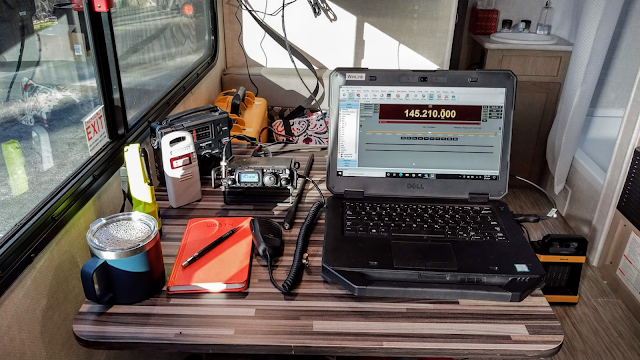
My EMCOMM football computer driving a Yaesu FT-991A during the
2020 ARES Simulated Emergency Test

As far as operating systems go, I've made my feelings known in a previous post. Until Winlink is ported over to Linux (which may actually happen soon), an EMCOMM operator is better off sticking with Windows 10.

Most rugged laptops are not screamers when it comes to computing performance.
But these are not gaming machines. These are specifically designed to provide 'good enough'
computing performance and high survivability in extreme conditions

What about application software? This is where the football concept matures out. Think of the use case for this computer - off grid, austere environment. This means no internet. So, no web-based office applications like Google Docs or Microsoft's equivalent. No access to cloud drives. No access to websites like VOACAP or PSKReporter. No access to software updates. EVERYTHING you are going to possibly need has to be loaded on the laptop, updated and ready-to-go. 

So for our purposes, the football software suite needs to include:

  • Winlink
  • Fldigi
  • A stand-alone office automation suite like OpenOffice, LibreOffice or Microsoft Office (I recommend LibreOffice - it's free, very stable and well supported)
  • The stand alone version of VOACAP or HAMCAP for propagation prediction
Additional software to consider based on your specific operating and support requirements:
  • JS8Call (weak signal chat and messaging)
  • D-RATS (for message handling and chat over D-STAR)
  • A packet radio management suite like Outpost (useful if you want to 'sniff' AX.25 packet data or manage a temporary digipeater)
  • Are you a MARS operator? Then all the required MARS digital suite software AND supporting files and documents
  • Radio programming software and current programming files - CHIRP, RT Systems, etc. Think about it - if you have to do a factory reset on your D-STAR radio are you going to want to hand-jam all the settings back in?
  • Rig control software/contesting software like Ham Radio Deluxe (HRD). The rig control interfaces in these packages can make operating the radio easier. 
  • Net control management software like NetLogger
Remember, no internet access! So that means you'll need digital or physical copies of key documents included as part of your football:
Next to consider is supporting hardware:
  • Battery charger and cords. I've been to more than one exercise where someone shows up with a dead laptop and no charger, and nobody has compatible charger (if you show up with a Panasonic and everyone else is using Dells, well...). Remember, a dead laptop is useless
  • Additional fully charged laptop battery. Again, a dead laptop is useless
  • GPS receiver. For some digital modes, like JS8Call, time synchronization is important. With no access to the internet your laptop can't synchronize the internal system clock with a network time server. Internal computer clocks can be 'drifty'; they are not precision instruments and rely on checking regularly with a network time server for adjustments. With an inexpensive GPS receiver like the U-blox7 dongle and appropriate software you'll be able to update your laptop system clock using GPS time signals

USB GPS dongle - $15 on Amazon

  • Computer mouse. Just makes the laptop a bit easier to live with
  • USB thumb drive and SD card. Remember, no internet, no email (I know, I know, dead horse...). How do you move files between computers? By having a spare tumb drive and SD card (or two) you are assured you can transfer data in an austere environment
  • DVD/CD ROM drive. Don't underestimate the ability of government agencies to cling desperately to old data formats. There are boxes of DVDs and CDs holding legacy data squirrled away in EOCs and government offices from sea to shining sea. That one odd report format the EMA needs may only be available on a DVD that was burned a decade ago and found sitting in the CD tray of a dead Gateway desktop that was headed to the dumpster. Don't ask me how I know. Be the hero. Have the only working DVD drive in the EOC
  • Cables, cables, cables. Have a cable for everything, and for critical pieces of gear, have two cables. 
    • USB cables for everything you run. Not just the old school USB A to B, still so common in Amateur Radios today, but also USB mini, micro and USB C.
    • An HDMI cable for attaching your laptop to an external monitor. If you use a Panasonic CF-19 laptop you'll need a powered VGA-to-HDMI adapter
    • Specialty cables for things like TNCs, CAT control cables for older radios, audio interface cables if you connect directly to the computer soundcard
    • Still running old DB9 serial devices (like some older TNCs)? Don't forget cables for those. Also consider a DB9-to-USB adapter
  • A bag to carry it all in. Forget the metrosexual murse that seems so popular in today's computer tote-wear. It may be fine for a MacBook Air, with enough leftover room for a Starbuck's gift card, but you are going to need a roomy and tough shoulder bag or backpack to haul all this stuff around in. Or even better, a hardened case like a Pelican
Now it's time to talk about user accounts. You are the administrator on your laptop, but you shouldn't let anyone use it while logged in as admin. Instead, create a guest user account (easy to do in Windows 10) that keeps the curious away from your system settings. That way, if you have to leave the laptop in the hands of someone else while you go get a few hours of sleep you won't come back to find your hard drive loaded up with malware and half your applications re-configured.

Be sure to tag everything that's your property, and record serial numbers. A fully operational EOC is a hectic place, and things tend to move around a lot (and disappear). I recommend using your callsign to tag your gear. It makes the item uniquely yours, yet doesn't specifically identify you by name. Plus, it lets the served agency know that it's a piece of Amateur Radio gear that shouldn't be messed with. I hate to have to say it, but if your laptop has a security cable slot (like the ones compatable with the Kensington cable system) I recommend you lock it down to the desk you are set up on. 

Be a Boy Scout. Be prepared - for any data exchange format

Next, power. In an ideal disaster response situation (if there were such a thing), clean commercial power would be readily available from the moment you show up. But we all know that's not going to happen. So, show up with a fully charged battery and, if possible, have fully charged spares. I think a reasonable expectation is that you should get 6 hours of continuous use out of a single battery before you have to swap in a fresh battery or go looking for a charging station. Not all of my Toughbooks have spare batteries, so I bring along a 'power pack' - a 30 amp hour lithium-ion battery connected to a sine wave inverter. What's neat about this power pack setup is that I can power the laptop while simultaneously charging the battery using a 100 watt solar panel.

Have spares

Last, internet. Earlier in this post I focused on last-ditch grid down operations, and I counseled that web services will not be available and you need to be prepared and equipped to operate within that scenario. But we all have to admit that life is better with bandwidth. If internet connectivity is available, use it! It allows you to do things like run Winlink telnet sessions, grab software updates, connect to key commercial services like Weather.com, PSK Reporter, APRS.fi, etc., check personal email, and upload images and documents that can't be moved via Winlink (hint - use the concept of shared photo and document folders using services like Google Drive, DropBox or Microsoft OneDrive, and just share the folder or individual document links). 

There are several related issues to be aware of. First, the agency you show up to support may be so anal regarding computer security that they won't allow your laptop on their network. I actually understand and sympathize with this policy, and you should be prepared for this as the norm. But the supported agency's IT team may also not have any provisions for 'guest' or public wi-fi access, particularly if they are running on a very thin bandwidth string. Parallel to this, the cell service providers have done great work over the past decade in hardening their own infrastructure, and it's common for cell and data services to still be available when all else has failed. Consider supplying your own bandwidth. Many service providers offer cheap unlimited data plans, or even cheaper plans with very generous data caps. Your phone can act as a very effective personal hotspot that can get you on the internet when and where you need it.
 
The guts of the EMCOMM 'football'

So there you have it. The Amateur Radio EMCOMM Football. Of course this package will vary depending on your needs, supported agency and the current state of technology. Will the football concept look the same in five years when things like wi-fi enabled radios and embedded IOT functionality becomes more prevalent? No, of course not. But for today and into the forseeable future, the concept I lay out here is based on extensive real-world experience and is, I believe, very sound.

All packed up and ready to go


W8BYH out